
How to set up your league ranking on LADER
Read the league ranking, change its columns, tie-breakers and points, and see each player’s matches across the season.
Prefer to read?
Transcript
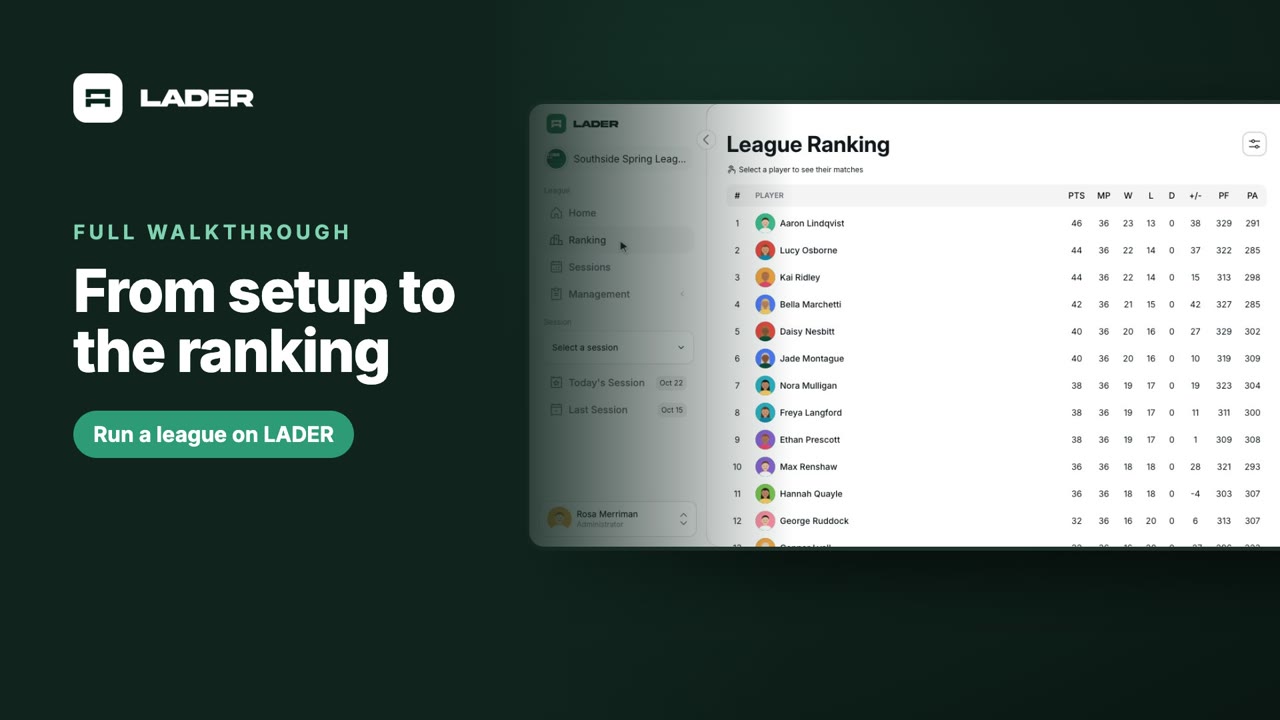
Every published match with a score counts toward the league ranking.
Open Ranking in the sidebar.
Players are ordered by points: two for a win, one for a draw, and none for a loss. Ties are decided by wins, then points difference. The legend under the table spells it out.
To change them, click the settings button. Display Settings picks the columns, Tie-Breakers sets their order, and Points sets what each result is worth.
How Rankings Work explains which matches count, and who's ranked: only league members, so guests never appear.
Click a player to see their matches across the season. The ranking updates by itself as scores come in, so there's nothing to recalculate.
This league plays with rotating partners, so it has one table. Leagues that also play singles or fixed pairs get a tab for each, and there's a separate video on those.
That's it: your league is up and running. For step-by-step guides on everything in this series, visit the LADER Help Center.
Still stuck?
Send us a message and we will walk you through it, or book a demo and we will show you live.
More in Run a league
The clubs, events and people shown are fictional demo data. Narration uses an AI-generated voice.