Join a waitlist and claim a spot
When a division is full, some tournaments let you join a waitlist for it. Joining is free. If a spot opens up, you get a waitlist offer: a message saying the spot is yours if you claim it before a deadline. You only finish registering and pay when you claim it. This guide shows you how to join, what a waitlist offer looks like, how to claim it, and how to manage your place in line.
Step-by-step
1Join the waitlist
Register as usual (see Register for a tournament). On Select Divisions, a full division shows Join waitlist where the price would normally be. Some tournaments also show how many people are already waiting, for example Join waitlist (4 in queue). Tick it like any other division.
You can do both in one registration: register for divisions that have spots, and join the waitlist for full ones.
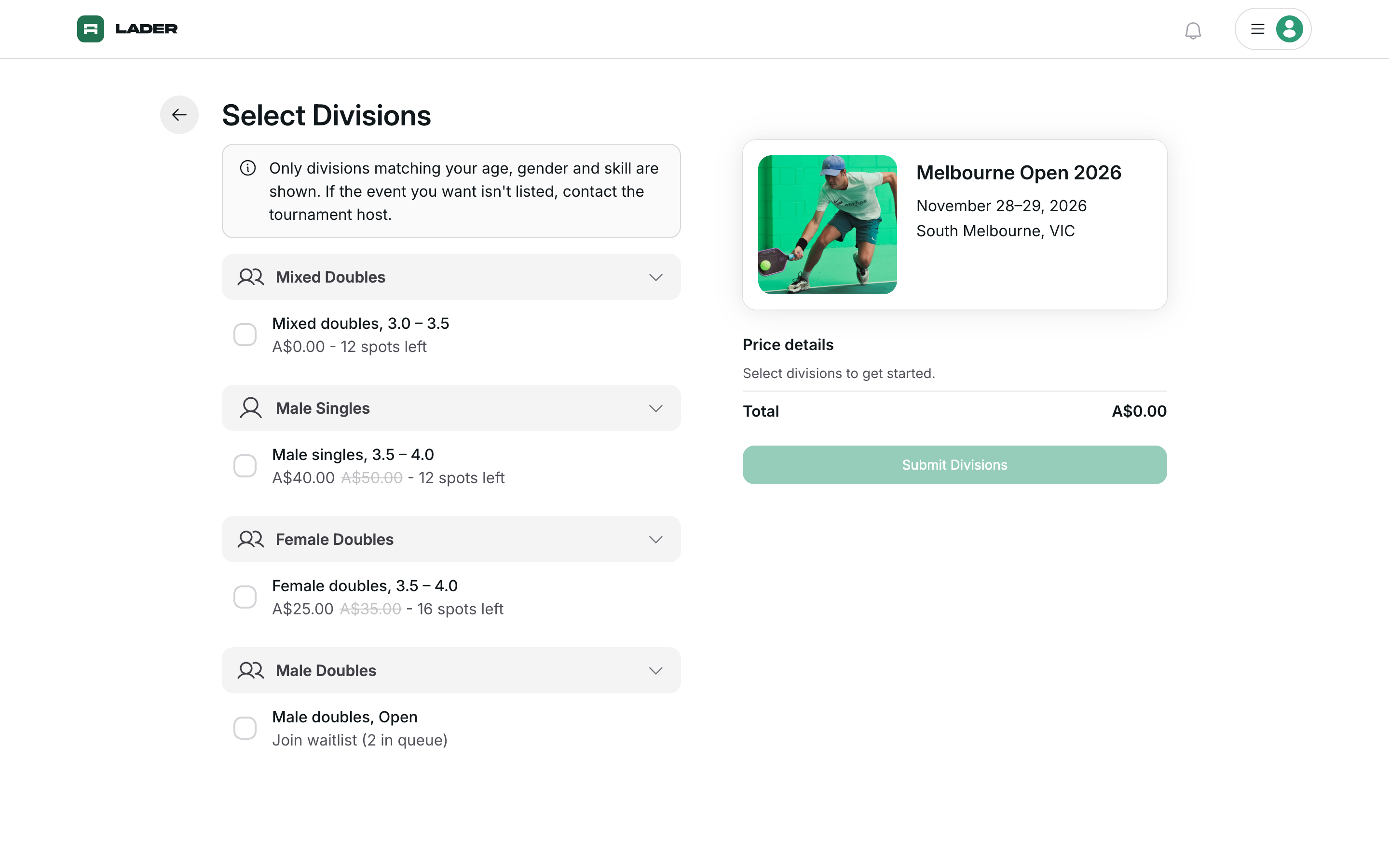
More help: why does a division with spots left say Join waitlist?
If people are already waiting for a division, you join the end of the waitlist instead of taking an open spot, even if the division isn't full. The waiting players get the first chance at it.
More help: a full division doesn't show Join waitlist
Either the tournament doesn't use a waitlist, or the organizer's waitlist cutoff date has passed. A full division without a waitlist shows Sold out. Team divisions can't be chosen at all. Contact the organizer.
2Name your partner (doubles only)
For a doubles division, name your partner on the Invite Partner step, the same as a normal registration. You can't join a doubles waitlist without a partner. Your partner is told they've been added to the waitlist, and they can accept or decline.
3Submit (it's free)
When you join a waitlist, you skip the DUPR, membership and form steps for now. You do those later, only if you claim a spot. On Review and Submit, your waitlist divisions are listed under Waitlist with the note "Joining a waitlist is free. If a spot opens up, you'll be able to claim it and pay then."
- If you're only joining waitlists, the button reads Submit Registration.
- If you're also registering for divisions that have spots, or you still owe money from an earlier registration in this tournament, the button reads Complete Payment. You only pay for those, not for the waitlist.
You're only on the waitlist once you click the button. If you leave before then, or a payment fails, you aren't added. When you're added, you get a "You're on the waitlist" email.
4Check your place in line on My Registration
Open the tournament page and click Manage Registration. The Waitlist section shows each waitlist you've joined, your partner and the date you joined. If the organizer sends waitlist offers automatically, it also shows your place in line, for example "You're #2 on the waitlist". From here you can:
- Change Partner on a doubles waitlist. You keep your place in line. To change your partner you must name a new one.
- Leave Waitlist. You lose your place in line. If you join again later, you start at the end of the queue. On doubles, leaving removes both of you.
If your partner declines, the waitlist shows their name followed by "declined their invitation". You keep your place in line, but you won't get a waitlist offer until you change your partner or leave the waitlist. You're emailed when this happens.
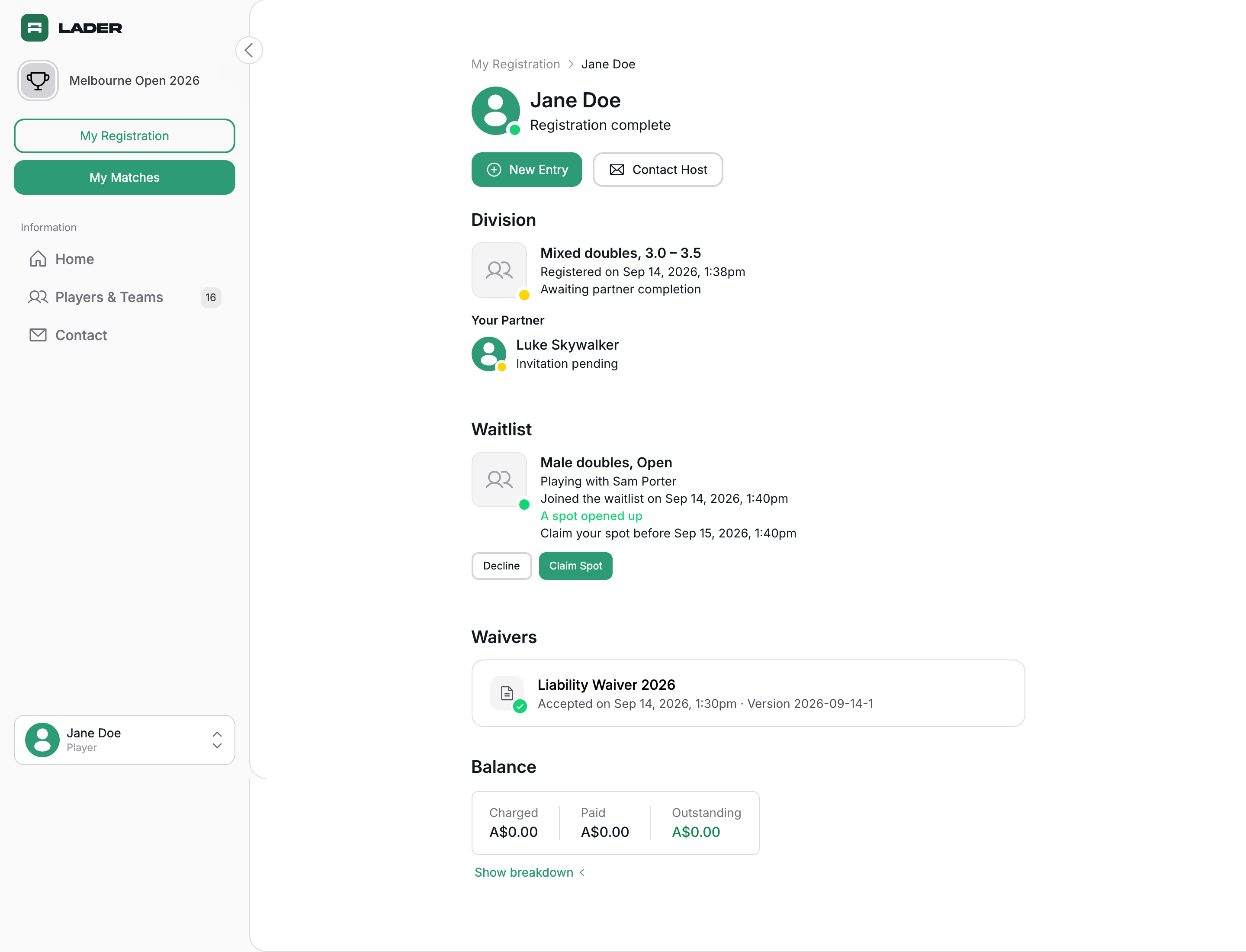
More help: why can't I see my place in line?
Some organizers send waitlist offers themselves and choose who gets each spot. When they do, your place in line isn't shown, because the order doesn't decide who gets the next spot. My Registration just says "You're on the waitlist".
More help: someone else added me to a waitlist
If your partner or the organizer added you, My Registration shows Accept Invitation and Decline. Accepting keeps your place in line. You only register and pay if a spot opens up and you claim it.
5Claim your spot when you get a waitlist offer
When a spot opens up, you get an email with the subject "A spot opened up — claim it by" and the deadline date. The spot is held for you until that deadline. On doubles, your partner gets the same email. The waitlist offer also shows on My Registration with Decline and Claim Spot buttons.
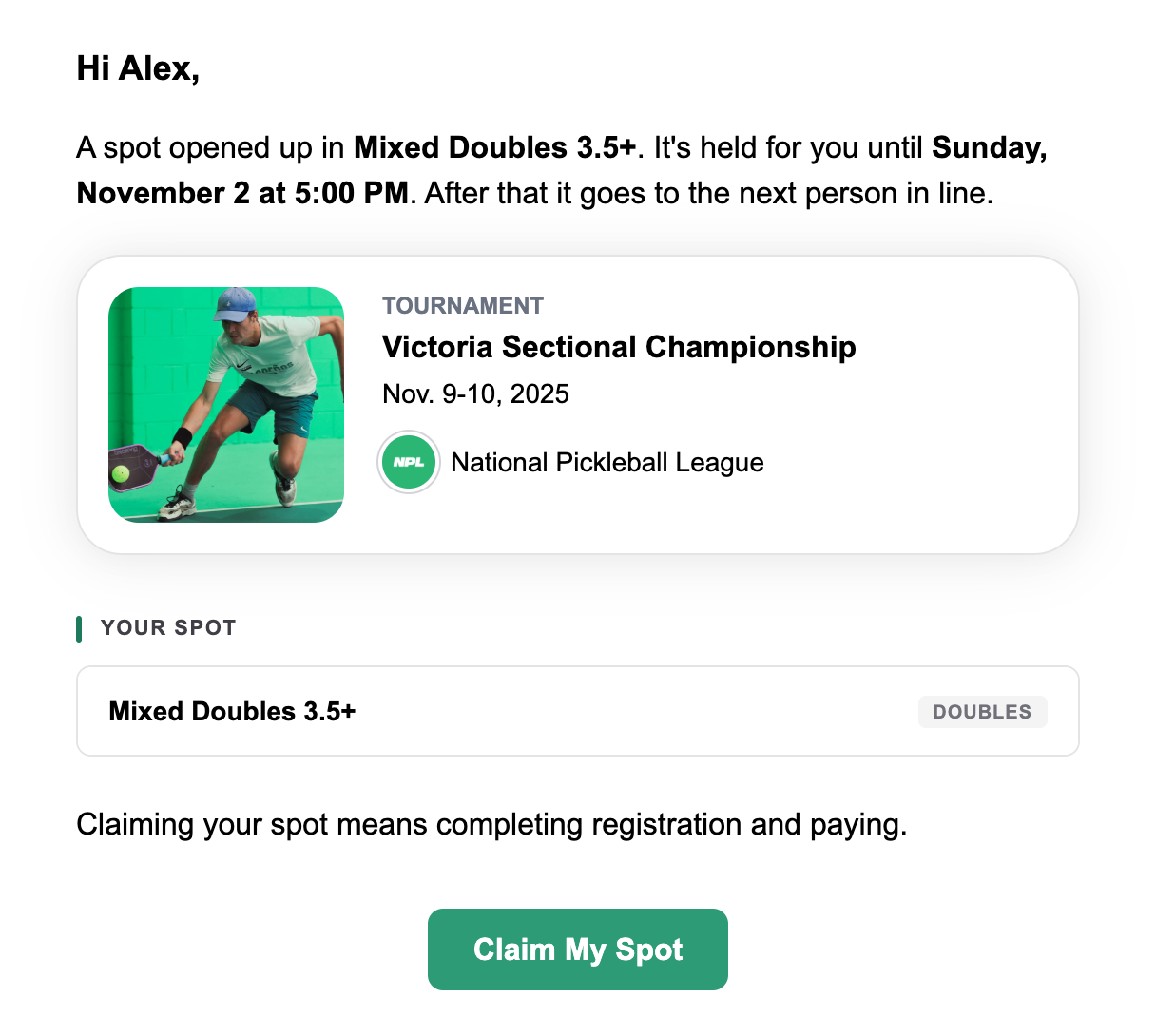
To claim it:
- Click Claim My Spot in the email, then Claim Spot on the page that opens. (Or click Claim Spot on My Registration.)
- Name a partner if you don't have one yet.
- Finish any DUPR, membership or form steps.
- Pay on Review and Submit.
You must finish all of this before the deadline. Your spot is held for you until then, so you can close the page and come back any time before the deadline. The Spot reserved box on each step shows how long you have left.
If you don't want the spot, click the back arrow on the first step, then Give Up Spot. This also takes you off the waitlist, and the spot goes to the next person in line. If you change your mind later, you join the waitlist again at the end of the queue.
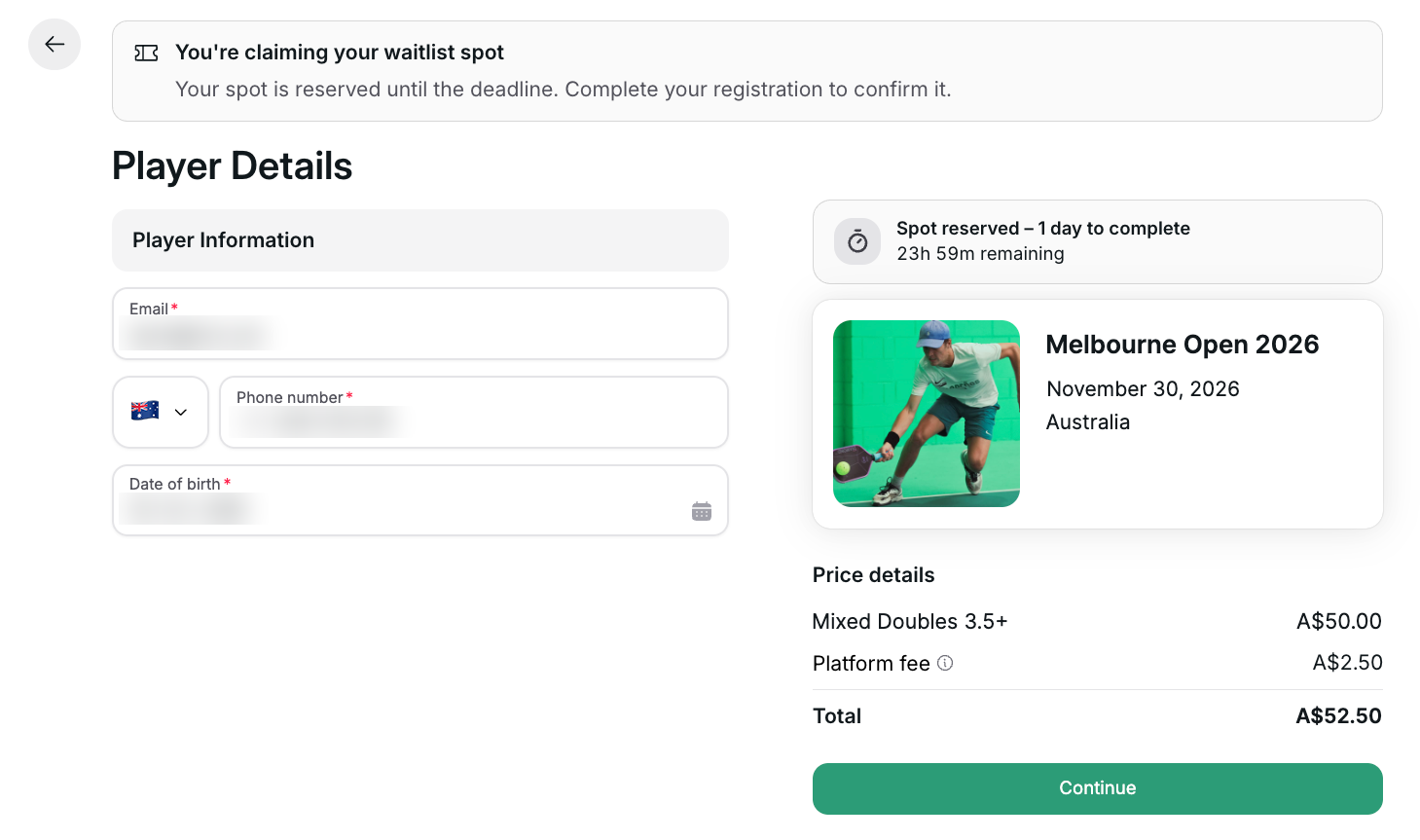
For doubles, either partner can claim. Once one of you starts, the other sees "Your partner has started claiming this spot". Whoever claims finishes the steps and pays.
More help: what if I miss the deadline?
The waitlist offer expires and you're taken off the waitlist for that division. You get an email saying the spot expired. You can join the waitlist again any time it's open, starting at the end of the queue.