
Set up Looking for a partner on LADER
A complete walkthrough for organizers: turn on Looking for a partner, see who’s looking, pair two players, remove a player from a list and let them back, and export the lists.
In this video
The 5 parts
Prefer to read?
Transcript
Players without a doubles partner can list themselves in your tournament, find each other, and register together. Here's how to set it up and manage the lists.
First, turn it on. You need to be an Administrator of the tournament.
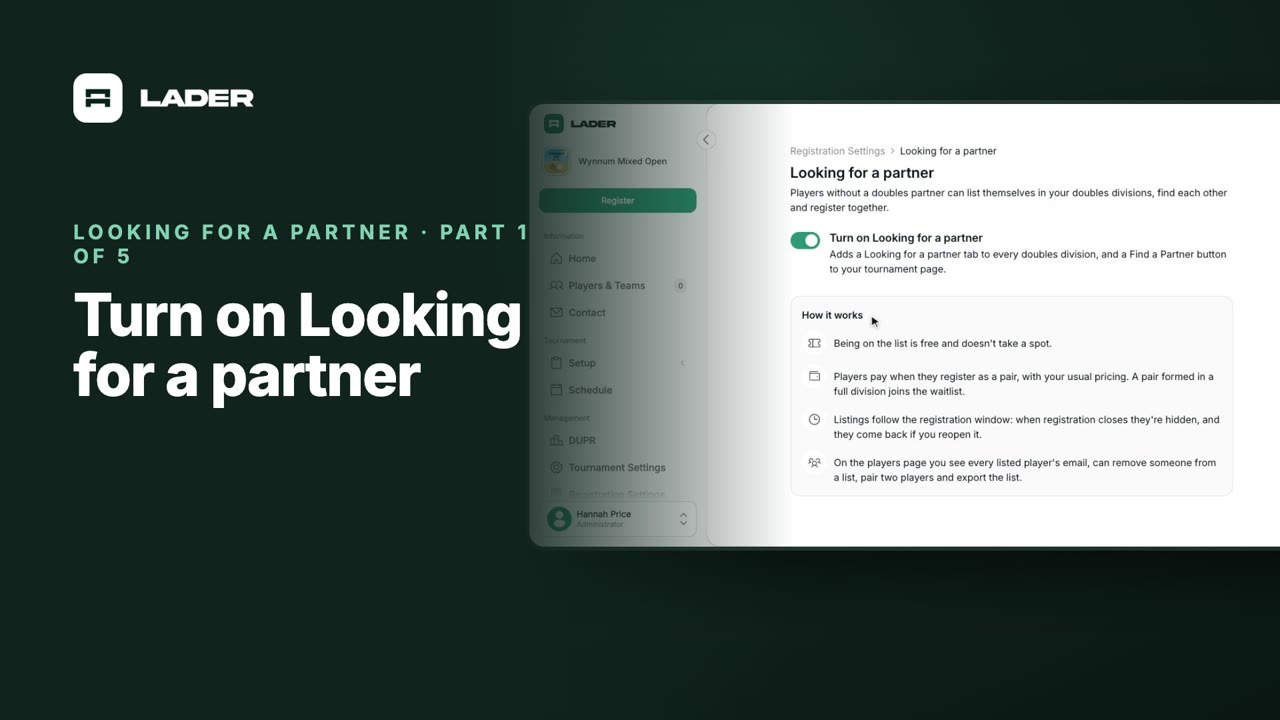
Open Registration Settings. Under Optional Add-ons, find Looking for a partner, and click Set up.
Turn on Looking for a partner. It saves straight away, and adds a Looking for a partner tab to every doubles division, and a Find a Partner button to your tournament page.
How it works sums up the rules. Being on the list is free and doesn't take a spot. Players pay your usual prices when they register as a pair. And the lists follow your registration window.
Here's a tournament where players are already looking.
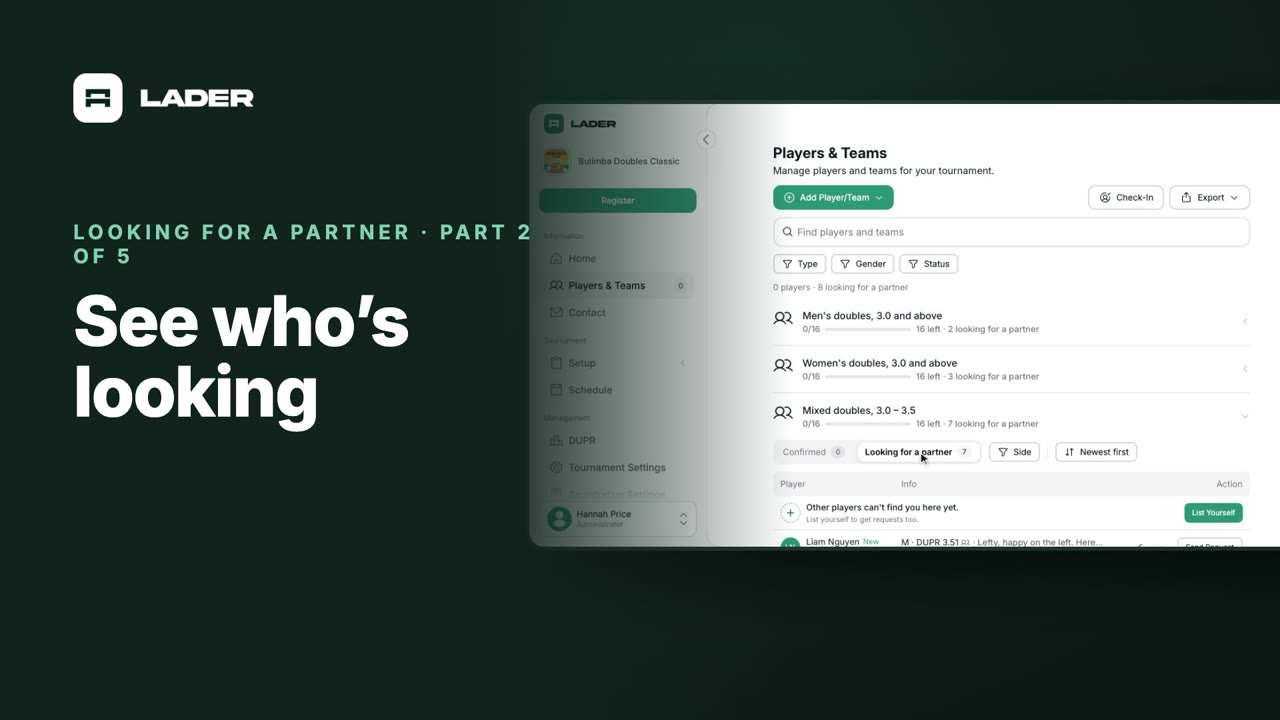
On Players and Teams, each doubles division shows how many players are looking. Open a division, and click its Looking for a partner tab.
Each row shows the player's DUPR rating, preferred side and play style. Click a row for the rest. As an organizer, you see their contact details in full, and their account email.
Listed players aren't registered yet: they have no spot, and they're not charged. They show under Confirmed once they register as a pair.
Players usually team up through partner requests. But you can pair two listed players yourself.
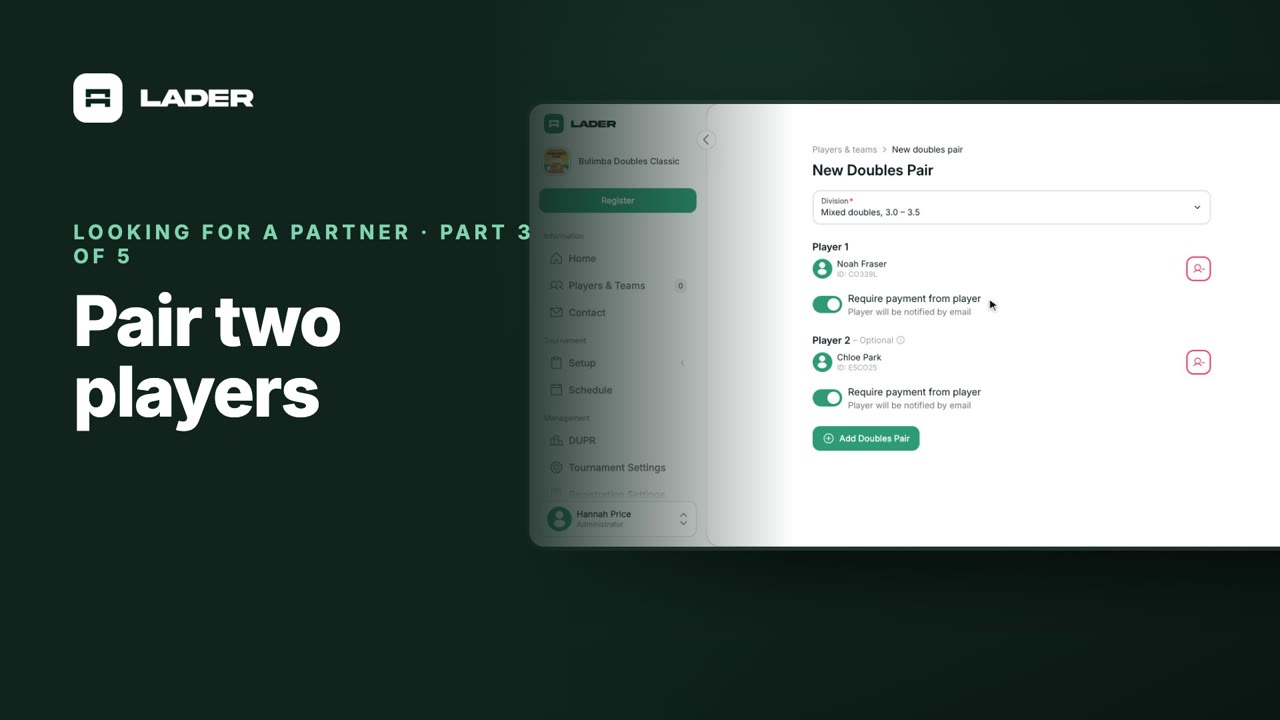
Click the three dots on one player, and choose Pair with. Then pick the other player.
The New Doubles Pair form opens with the division and both players filled in. Check Require payment from player for each, and click Add Doubles Pair.
They get their usual invitations, and pay their part. Both leave the list, and their open requests in that division are cancelled.
If someone's level doesn't fit the division, you can take them off its list.
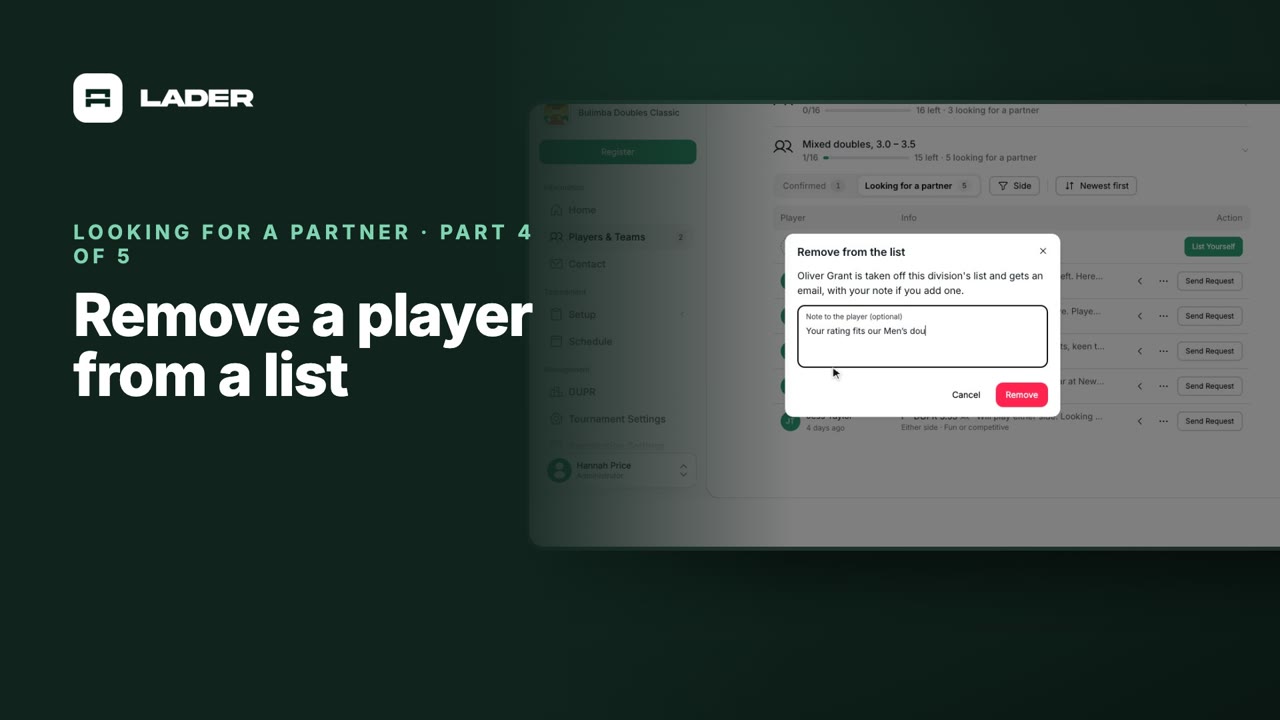
Click the three dots on their row, and choose Remove from list. Add a note if you like, for example to suggest another division, and click Remove.
They're emailed, with your note. They can't list themselves in that division again, but it isn't a ban: they can still send requests, and register with a partner.
To let them back, open removed from the list at the end of the tab. Click the three dots on their row, and choose Allow back on the list.
That doesn't put them back on the list, and they aren't emailed. Let them know, so they can list themselves again.
To pair players by hand, or keep a record, download every list.
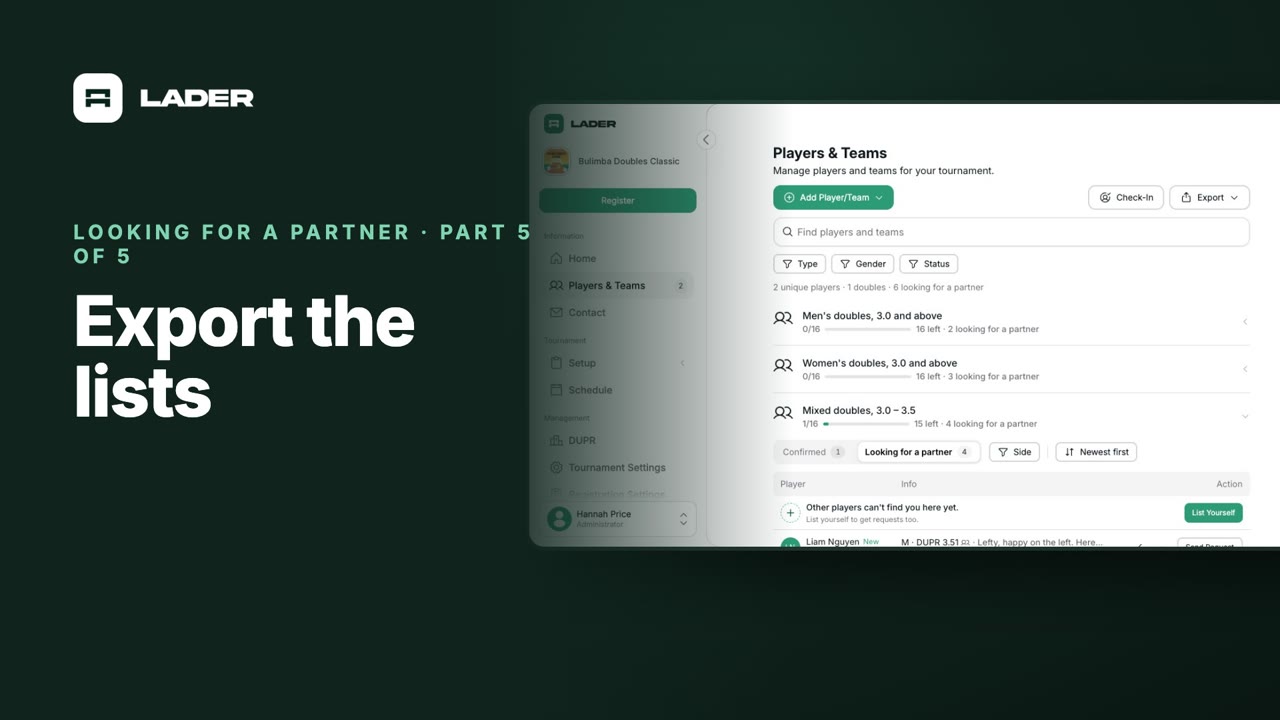
At the top of Players and Teams, click Export, then Looking for a partner.
You get one spreadsheet for the whole tournament, with a row per player and division: their contact details, rating, side and style, their status, and the requests they're waiting on.
Still stuck?
Send us a message and we will walk you through it, or book a demo and we will show you live.
The clubs, events and people shown are fictional demo data. Narration uses an AI-generated voice.