
Let players register teams on LADER
A complete walkthrough for organizers: create a Team division with a team size, charge one fee per team, and follow the teams that register.
In this video
The 3 parts
Prefer to read?
Transcript
Players can register their own teams in your Team divisions: one player creates the team and invites their teammates, and each teammate completes their own registration.
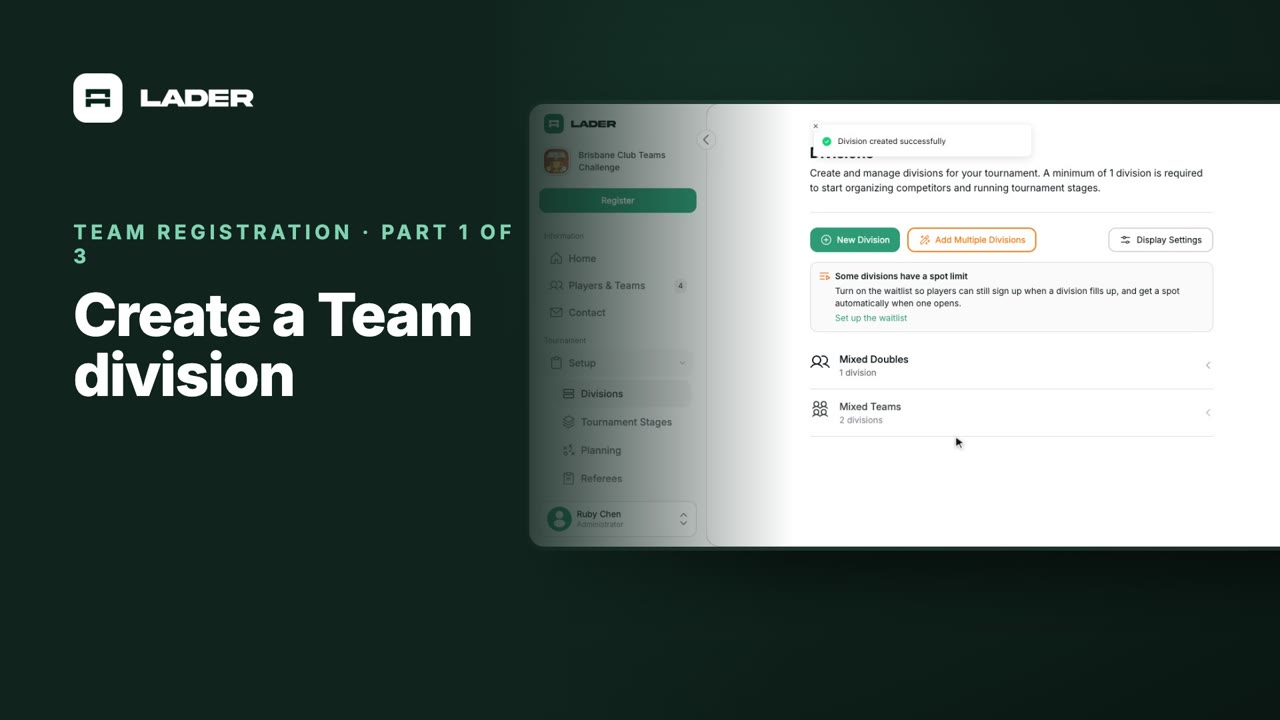
It starts with a Team division.
On Divisions, click New Division, and choose Team as the division type.
Set the gender and skill level as usual. Spots count teams, not players.
Click Add Min/Max Players per Team, and set the team size. A player can't finish registering a team that's too small. Then click Create Division.
The division shows its team size next to its spots.
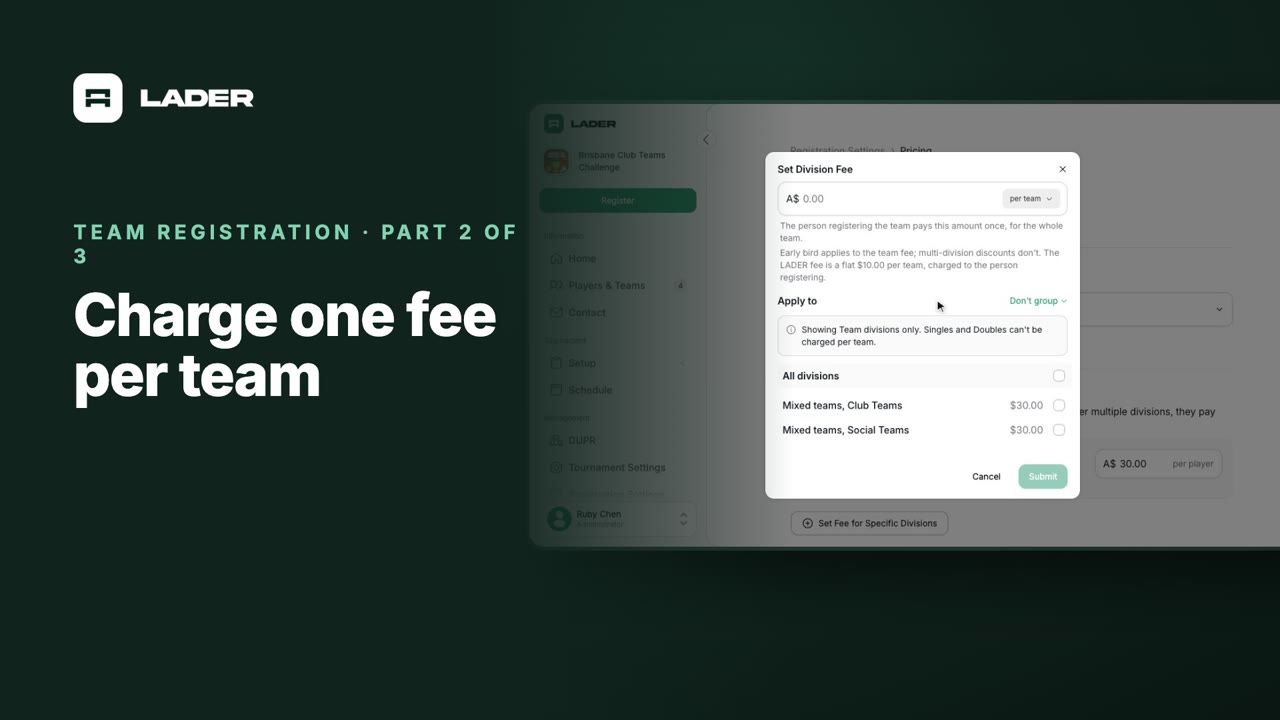
A Team division uses your usual fee per player: each player pays for their own spot. You can charge one fee for the whole team instead.
In Registration Settings, open Pricing, and click Set Fee for Specific Divisions.
Change per player to Fee per team: the person registering the team pays it once, for the whole team. Enter the amount, and tick the Team division.
Early bird discounts still apply to a team fee. Click Submit, then Save Changes.
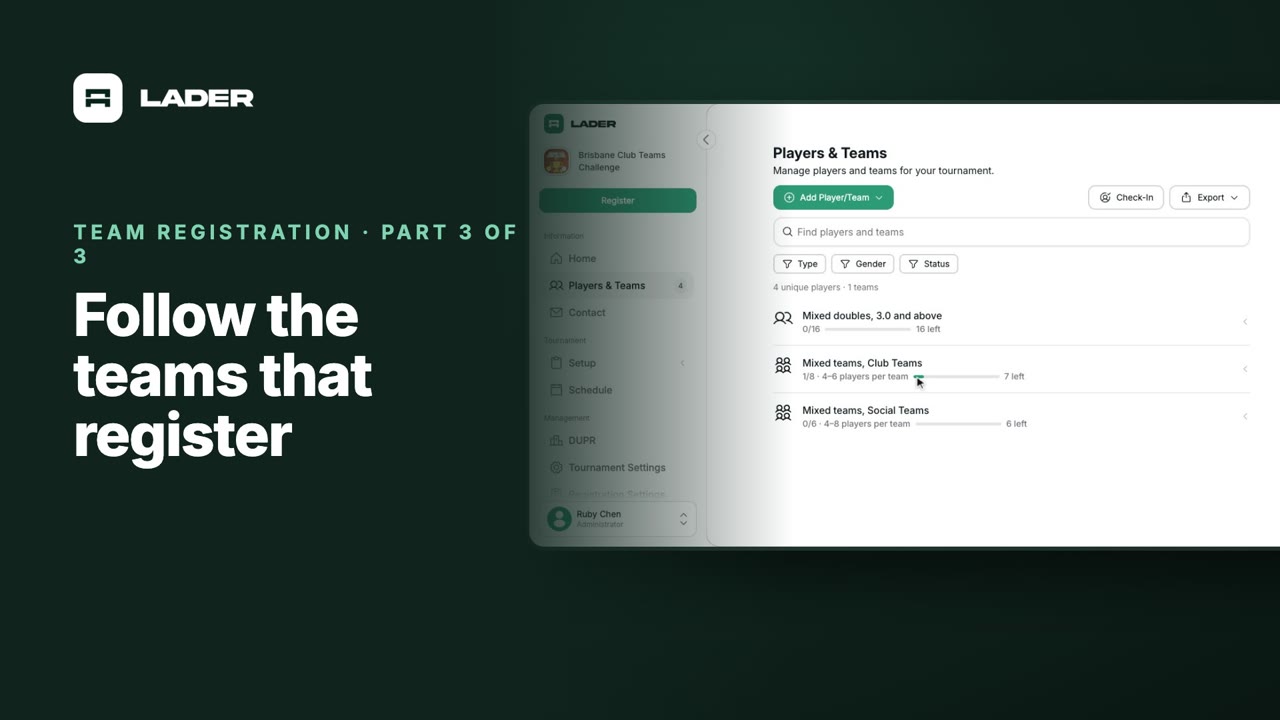
Teams that register show on Players and Teams.
Each Team division shows how many teams have registered, and the team size. Open it to see each team: until every teammate has completed their registration, it shows Incomplete, with how many are still invited or unpaid.
The player who registered the team can change its roster from Manage Team, within your limits. And you can still add a team yourself, with Add Player or Team.
Still stuck?
Send us a message and we will walk you through it, or book a demo and we will show you live.
The clubs, events and people shown are fictional demo data. Narration uses an AI-generated voice.